The Business Operator
What Kind of Website Does Your Business Actually Need?
Static, dynamic, web app, or hybrid — a plain-English map of the jargon, plus a short quiz to find your fit
- websites
- digital strategy
- small business
- Jamstack
- web applications
If you have ever sat in a meeting where someone said “we need a SPA on the Jamstack with a headless CMS” and everyone nodded without fully knowing what that means for your budget, your team, or your customers — this guide is for you.
The web is full of overlapping labels. Some describe how pages are built. Some describe how they feel to use. Some describe what the business is trying to do. When those layers get mixed up, owners either overbuild (paying for software they do not need) or underbuild (a pretty brochure that cannot take bookings, sell stock, or serve clients).
The aim here is simple: clear the top of the umbrella first, show how the common jargon sits underneath it, and end with a practical way to choose what fits you — not what is trendy this year.
Start at the Top of the Umbrella
The most useful first cut is not “blog vs shop” or “WordPress vs React.” It is how content is produced and delivered, and how interactive the experience needs to be. Almost every site on the internet falls primarily into one of four top-level buckets — with plenty of real-world overlap.[1][6]
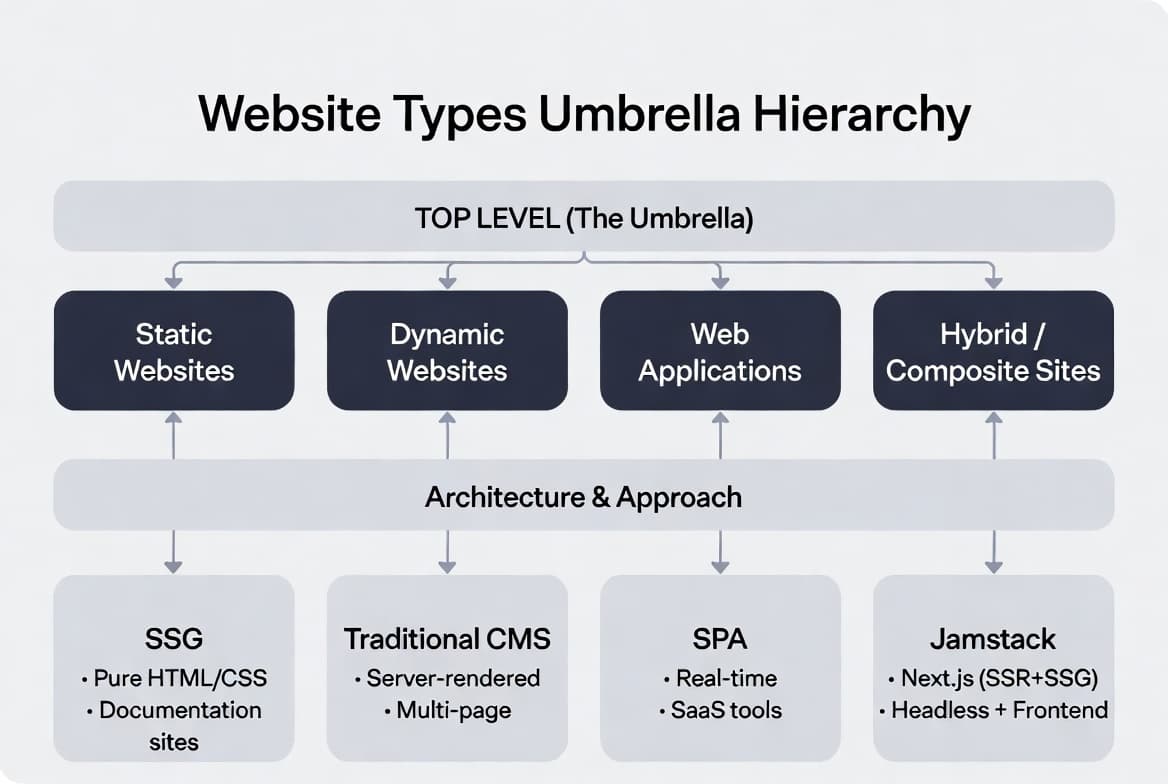
- Static websites — fixed files served as stored; no server rebuild per visit.
- Dynamic websites — content assembled on the server (often with a database and admin panel).
- Web applications — software in the browser: accounts, workflows, real-time tools.
- Hybrid / composite sites — pre-built speed where it helps, dynamic behaviour where it matters.
Purpose (e-commerce, portfolio, SaaS), architecture (SPA, SSG, SSR), and technology (WordPress, Next.js, Shopify) all sit under this umbrella. They matter — but they are not the first question.
1. Static Websites
A static site serves HTML, CSS, and JavaScript files exactly as they were built. There is no database generating a fresh page for each visitor. That is why static sites are typically very fast, inexpensive to host, and relatively secure — fewer moving parts on the server mean fewer places for things to break or get attacked.[1][6][7]
Classic examples: personal portfolios, simple company brochure sites, product launch pages, and documentation. Many modern “static” sites are not hand-written page by page; they are generated by tools that pre-build every page at publish time (static site generation, or SSG).
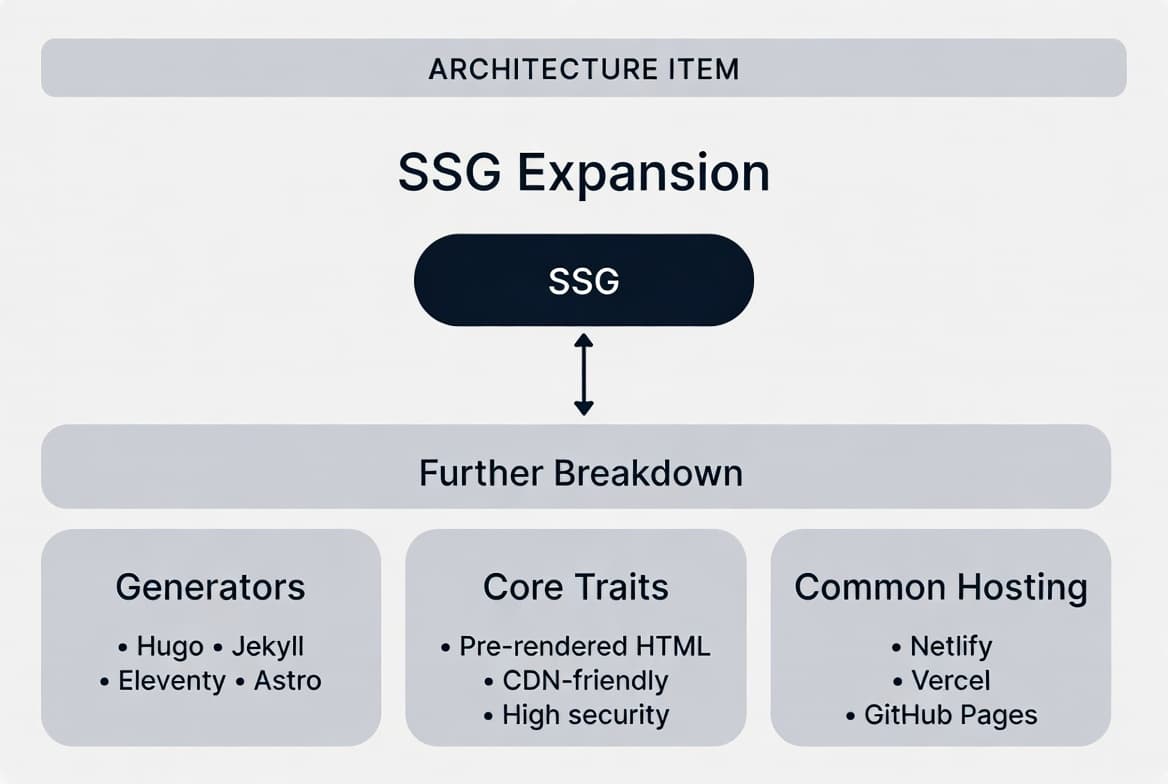
When static (or SSG) is a strong fit
- Your story, services, and contact details change only occasionally
- You care about speed, SEO, and low monthly hosting cost
- You do not need customer logins or complex personalisation on every page
- A developer (or a build pipeline) can publish updates when content does change
The trade-off is interactivity and day-to-day editing. If non-technical staff must update content every week without a developer, pure static can feel stiff unless you add a content layer on top.
2. Dynamic Websites
A dynamic site generates or assembles content when someone requests a page — usually using a server, templates, and a database. That is how personalisation, large catalogues, frequent publishing, and familiar “log into WordPress and hit Publish” workflows work.[1][6][8]
News sites, many blogs, traditional company sites with an admin panel, and a large share of classic e-commerce platforms live here. For small businesses, “dynamic” often means a content management system (CMS): staff edit posts, products, or pages without touching code.
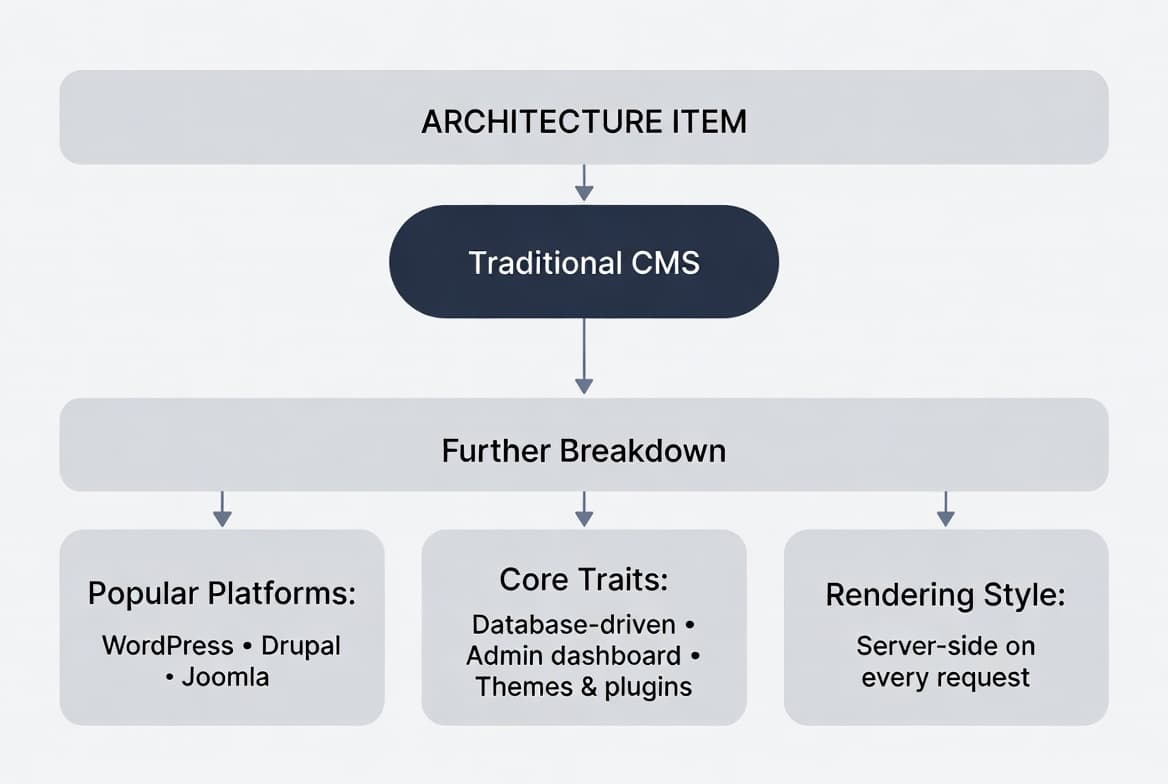
When dynamic / CMS is a strong fit
- Content changes often and non-technical people need to own updates
- You need categories, search, user roles, or editorial workflows
- A proven platform (or headless CMS) will get you live faster than custom software
- You accept a bit more hosting complexity in exchange for easier publishing
Dynamic sites are more flexible day to day, but they are usually slower than pure static if poorly optimised, cost more to host and maintain, and introduce more security surface area because the server is doing real work on every request.[7][8]
3. Web Applications (Web Apps)
A web application is software that happens to run in the browser. Think Gmail, Google Docs, Notion, Figma, banking apps, or a client portal where customers log in, complete workflows, and see live data. The line with “dynamic website” can be blurry — a blog with comments is still a website; a collaborative tool with roles, state, and real-time updates is an app.[3]
Many web apps use a single-page application (SPA) pattern: the shell loads once, then JavaScript updates the screen without full page reloads. That can feel fast and app-like, but pure client-side SPAs need careful handling for SEO and first-load performance.[3]
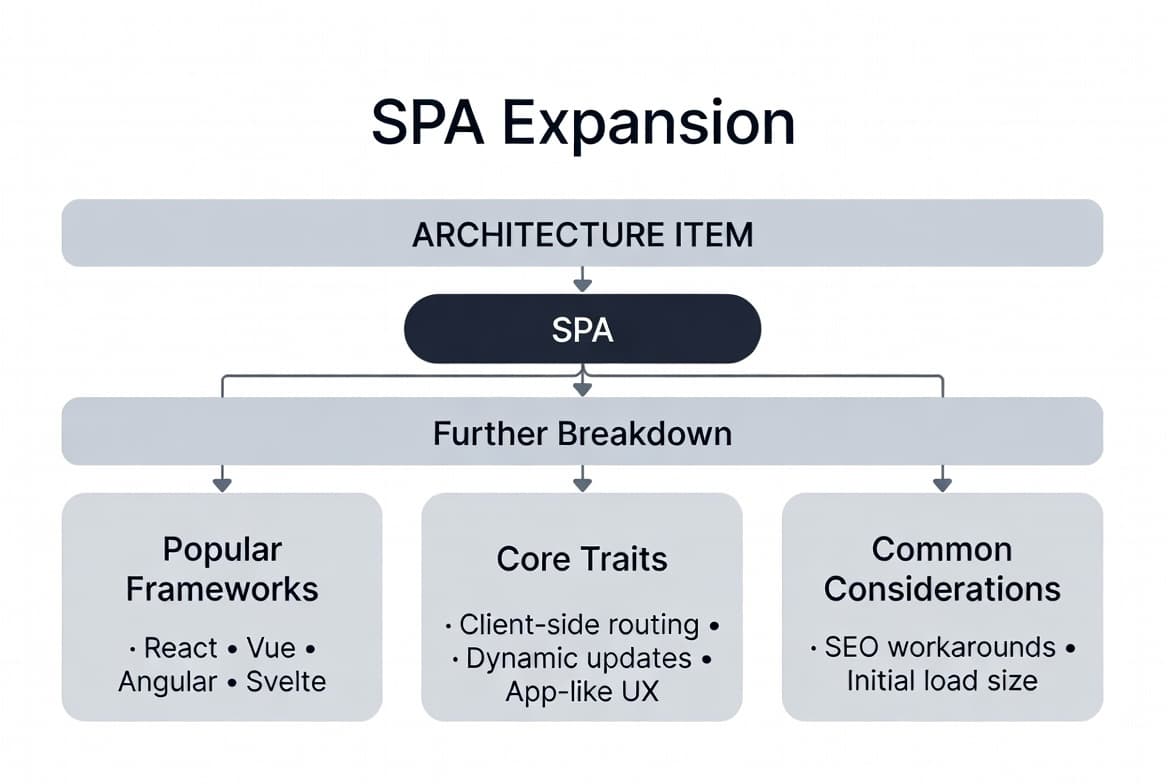
When a web app is the right tool
- Customers or staff need accounts, dashboards, or role-based access
- The “site” is really a product: bookings, CRM, inventory, quoting, training, portals
- You need real-time updates, multi-step processes, or complex state
- Off-the-shelf tools force painful workarounds for how you already operate
Web apps cost more to design and build than a brochure site — not because of fashion, but because you are defining workflows, permissions, data, and edge cases. Done well, they remove the daily friction of scattered spreadsheets and generic platforms that never quite fit.
4. Hybrid / Composite Sites
Here is the honest 2025–2026 picture: a huge share of strong business sites do not live in only one box. They pre-render marketing pages for speed and SEO, then layer on dynamic checkout, booking, search, or logged-in areas. That composite pattern is not a compromise — it is often the smartest design.
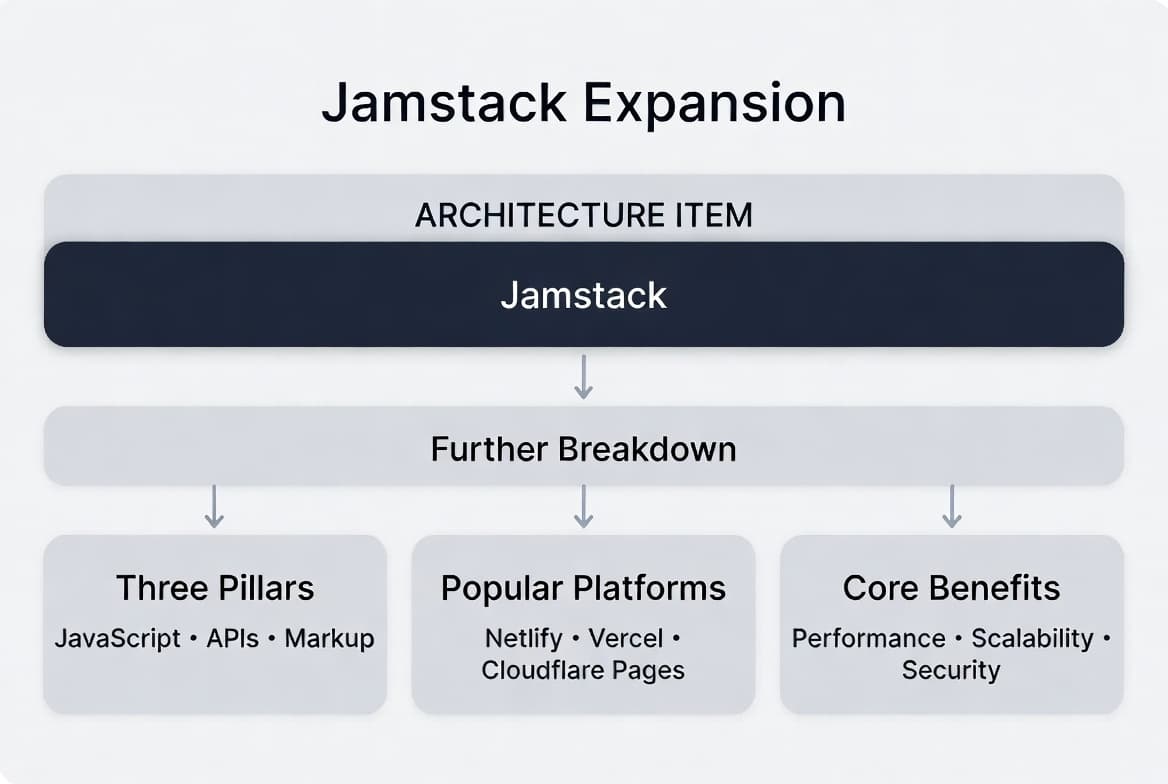
You will hear related labels under this roof. Jamstack emphasises pre-rendered markup plus JavaScript and APIs. Headless CMS separates content (edited in one system) from presentation (any frontend). Server-side rendering (SSR) builds HTML on the server per request. Incremental static regeneration (ISR) keeps most pages static but refreshes them after publish without a full rebuild. Progressive web apps (PWAs) add installability and offline-friendly behaviour on top of almost any of the above.[2][4][5][12]
“You do not buy a buzzword. You buy outcomes: pages that load fast, content your team can update, and features that match how the business actually works.”
— Damian Grobler, EudaTech
Architecture Labels — Where They Sit
When proposals drop acronyms, map them back to the umbrella:
- MPA (multi-page application) — classic full page loads; common under dynamic/CMS sites.
- SPA — client-side navigation; common under web apps; can also power hybrid frontends.
- SSG — build pages ahead of time; sits under static and hybrid.
- SSR — render on the server per request; bridges dynamic sites and modern frameworks.
- ISR — static base with controlled revalidation; hybrid by design.
- PWA — capability layer (install, offline); can apply to static, dynamic, app, or hybrid.
- Headless CMS — content via API; usually dynamic or hybrid delivery.
- Serverless — hosting/runtime model; cross-cutting, not a website type by itself.
If a vendor leads with technology before outcomes, ask them to translate: Which pages are static? What is dynamic? What requires login? Who will update content next Tuesday without calling a developer?
Purpose Still Matters — Second, Not First
Once you know the delivery model, purpose clarifies features and budget. The same “company website” can be static brochure, dynamic CMS, or hybrid with a booking engine.
- Informational / brochure — trust, services, contact; often static or simple CMS.
- Landing / marketing pages — conversion-focused; often static or SSG, sometimes hybrid with CRM forms.
- Blogs and content hubs — regular publishing; dynamic CMS or hybrid with headless content.
- E-commerce — catalogue, cart, payments; often hybrid or platform-based dynamic.
- Portfolios — visual showcase; frequently static/SSG.
- SaaS and client tools — web applications first, marketing shell second.
- Dashboards and internal tools — web apps (sometimes never public).
- Education, media, community — usually dynamic or full web apps with accounts and content pipelines.
A Short History (Why Everything Feels Confusing)
- 1990s–early 2000s — mostly static pages, then simple server scripts.
- 2000s–2010s — CMS platforms (WordPress, Drupal) and early web apps dominate small business.
- 2010s–now — SPAs, Jamstack, serverless, headless CMS, and hybrid frameworks (SSR + SSG + APIs) compete for the same brief.
Nothing wrong with an older model if it fits. WordPress still runs a large share of the web for a reason. The mistake is choosing a stack because it is fashionable, or rejecting a hybrid approach because the first quote only offered a single template.
Quick Comparison
How the four top types usually trade off
Static
Fastest & cheapest to host; limited day-to-day editing without tooling
Dynamic
Easy content updates; more hosting & security responsibility
Web app
Richest workflows; highest design & build investment
Hybrid
Speed + flexibility; needs clear boundaries between static and dynamic parts
So What Should I Choose?
Use the helper below as a compass. It weights how often content changes, whether people need logins, who will edit the site, and whether you are buying a brochure, a shop, or software. Your result is a starting recommendation — many projects still blend two categories on purpose.
Decision helper
So what should I choose?
Answer a few practical questions. You'll get a starting recommendation — not a sales pitch — based on how content, accounts, and day-to-day use usually work for small businesses.
Question 1 of 5
How often will content need to change?
How to Brief a Developer or Agency
You do not need to specify “Jamstack” or “SPA” on day one. A strong brief answers operational questions:
- Who is the site for, and what should they do in the first 30 seconds?
- How often will content change, and who will change it?
- Do we need accounts, payments, bookings, inventory, or integrations?
- What must be findable on Google, and what lives behind a login?
- What is success in six months — leads, sales, fewer admin hours, or a product people pay to use?
From there, a good technical partner can propose static, CMS, web app, or hybrid — and explain trade-offs in plain language. If the conversation never leaves framework names, pause and bring it back to those five questions.
The Owners Who Choose Well
Digitising a business is not a badge for the latest stack. It is removing friction between how you already work and how customers find, trust, and buy from you.
A quiet brochure that loads in a blink can outperform a bloated “platform” nobody updates. A focused client portal can outperform a pretty homepage that still forces staff to chase information in spreadsheets. Hybrids win when marketing needs speed and operations need software.
If you are stuck between options, start with the umbrella: static, dynamic, web app, or hybrid. Then work down into purpose and architecture. And if you want a second opinion grounded in how South African small businesses actually operate — not in buzzwords — that is exactly the conversation EudaTech is built for.
References
- [1] Contentful — Static vs dynamic websites
- [2] MDN — Progressive web apps
- [3] MDN — Single-page application (SPA)
- [4] Next.js — Incremental Static Regeneration (ISR)
- [5] Strapi — Headless CMS documentation
- [6] Network Solutions — Static vs dynamic website
- [7] Figma Resource Library — Static vs dynamic website
- [8] Strapi Blog — Static vs dynamic websites
- [9] MDN — Progressive web apps guides
- [10] Jamstack.org — Static site generators (DocFX)
- [11] Jamstack.org — Static site generators (MkDocs)
- [12] Envato — Jamstack overview
- [13] Strapi — Headless CMS platform
Related resources
- Interactive e-commerce demo
Browse a hybrid-style shop with catalogue, cart, and modern UI — proof of product experience, not just a brochure.
- Web app access demo (EudaAuth)
When you need accounts and roles, not only marketing pages — multi-user permissions in practice.
- Website & web app development
How EudaTech approaches sites and apps with security and analytics built in from the start.
- The hidden friction you are paying for
When the real problem is systems and workflows — not which website label is trendy this year.
- Renting vs owning a website
Builders and big platforms vs hiring a developer — costs, support, and when ownership wins.